The optimal motor control
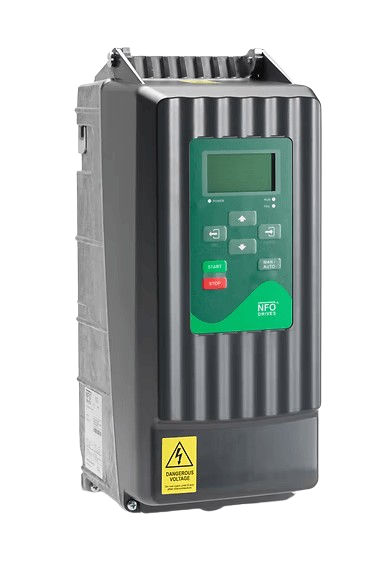
NFO Sinus is the obvious choice for motor control of electric motors. As the only product on the market, NFO Sinus transforms the mains frequency into a new frequency with a pure sine curve. This technology allows you to reduce bearing damage as no bearing currents are generated. Consequently, it ensures cost-effective and uninterrupted motor operation. At the same time, the motor can run quietly without the need for expensive shielded cables. Overall, the NFO inverter is a profitable investment that often pays off within 1 year. Its low energy consumption helps you achieve your sustainability goals.
Simple installation
- No shielded cables
- No complicated installation requirements
- No distance restrictions
Silent operation
- No electomagnetic interference
- No irritating switching noise
Safe technology
- No bearing currents
- No earth currents
Product Documents
Price lists
Novel Prism Sinus Prislista 2025 valid from 2025-07-01

Product Sheet
Novel Prism Sinus Optimal 1,5kW IP55 (230 V)
Certifications
CE-marking - Declaration of Conformity 2017 Novel Prism Sinus G2 0,37-22kW